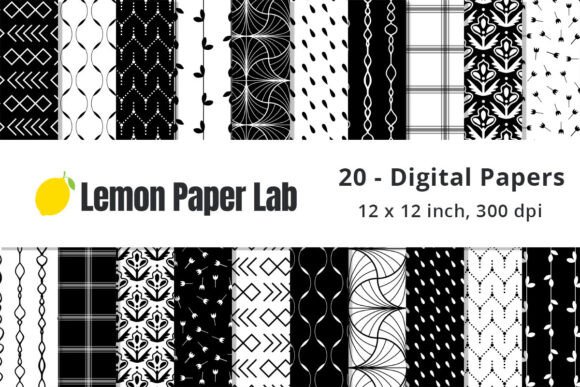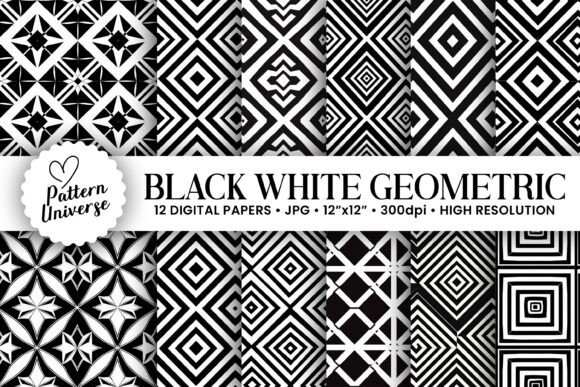
Black White Geometric Digital Papers: Elevating Your Creative Projects with Precision
In the world of digital crafting and design, the difference between a good project and a great one often comes down to texture, pattern, and resolution. Enter Black White Geometric Digital Papers, a versatile collection designed to bring structure, modernity, and elegance to a wide array of creative endeavors. Whether you are a seasoned graphic designer looking for clean backgrounds or a hobbyist preparing handmade gifts, these patterns offer a sophisticated touch that monochrome themes provide.
This specific collection features 12 seamless patterns, generated with artificial intelligence to ensure perfect tiling and consistency. But beyond the aesthetic appeal, understanding the technical specifications and practical applications is crucial for getting the most out of this resource. Many creators overlook the importance of file integrity and proper usage guidelines, leading to frustrating results in print or on screen. This guide aims to help you navigate these details effectively, ensuring your final output matches your vision.
Why Choose Monochrome Geometric Patterns?
Geometric designs have long been a staple in interior design, fashion, and stationery due to their timeless appeal and structural balance. The black-and-white color palette takes this further by offering maximum contrast without the distraction of color. This makes Black White Geometric Digital Papers an incredibly flexible tool. Unlike colorful patterns that might clash with other elements in a design, neutral geometric shapes act as a stabilizing force.
For entrepreneurs and small business owners, these papers are particularly valuable. They convey professionalism, minimalism, and clarity. A greeting card using a subtle geometric background will look more expensive and thoughtfully designed than one with a busy, low-resolution image. Similarly, for educators and bloggers, these patterns can break up text-heavy pages or serve as engaging headers without overwhelming the reader. The key advantage here is versatility; the same pattern can work for a corporate invitation, a child’s scrapbook page, or a minimalist tumbler wrap.
Common Pitfalls in Using Digital Papers
While the concept of downloading and using digital paper seems straightforward, several common mistakes can undermine the quality of your work. Understanding these pitfalls is the first step toward avoiding them.
Resolution Misunderstandings
One of the most frequent errors is assuming all digital images are print-ready. Low-resolution files (often 72 dpi) look fine on a computer monitor but appear pixelated and blurry when printed at standard sizes. If you are creating physical products like gift tags or wrapping paper, using a low-res file is a costly mistake. It ruins the professional finish you are aiming for. Always verify that your source files are high-resolution. In this case, the included files are provided at 300dpi, which is the industry standard for high-quality printing. This ensures crisp lines and sharp edges, regardless of how large you scale the pattern within reason.
Ignoring Seamless Tiling Properties
The term "seamless" is often misused in marketing. A truly seamless pattern repeats perfectly without visible breaks or awkward transitions. If a pattern is not genuinely seamless, you will see obvious grid lines or mismatches when you tile it across a larger canvas. This is disastrous for projects like tumbler wraps or full-page backgrounds where continuity is key. AI-generated patterns, when done correctly, excel at this. However, users must check the preview closely before applying the pattern to large areas to ensure the repeat is invisible.
Incorrect File Sizes and Aspect Ratios
Another overlooked detail is the aspect ratio and dimensions. Some digital papers come in square formats, while others are rectangular. If you need a pattern to cover a circular object like a mug, a square file might require complex cropping that cuts off essential parts of the design. The files in this collection are sized at 3600 x 3600 pixels (or 12″ x 12″ at 300dpi). This square format is ideal for scrapbooking and standard card stock, but for cylindrical objects, you will need to use software that allows for warping or mapping the image onto a cylinder. Failing to account for this can lead to stretched or distorted visuals.
Practical Applications and Best Practices
To get the most out of your Black White Geometric Digital Papers, consider these practical applications and tips for execution.
- Gift Wrapping: Use the patterns as overlays in Photoshop or Canva. Print them on matte or semi-gloss paper for a luxurious feel. The high contrast of black and white works exceptionally well with metallic ribbons or gold foil accents.
- Greeting Cards and Invitations: These patterns make excellent backdrops for text. Ensure there is enough contrast between your text color and the pattern. For instance, white text on a dark geometric section may be hard to read. Test different sections of the pattern to find the best area for typography.
- Tumbler Wraps: When designing for tumblers, remember that the pattern needs to wrap around. Use the 12x12 inch files as a base, but expand the canvas width significantly to accommodate the circumference of your cup. Warp the image to fit the curve if necessary.
- Digital Backgrounds: For bloggers and social media managers, these patterns are perfect for Pinterest pins or YouTube thumbnails. They add visual interest without distracting from the main subject. Keep the opacity low if placing text over them.
Evaluating Your Purchase and Usage
Before diving into your creative process, take a moment to organize your assets. The package includes 12 distinct patterns within a single zip file. Extracting these files to a dedicated folder on your computer is a simple but crucial step. Losing track of files or storing them in temporary download folders can lead to frustration later.
Furthermore, always keep a backup copy. Digital assets are prone to accidental deletion or corruption. Having a secondary copy ensures you never lose access to these resources. Additionally, check the compatibility of the file formats. Most digital papers are provided as JPG or PNG files. JPG is generally preferred for photographs and complex gradients, while PNG supports transparency, which might be useful if you need to layer the pattern over another image. Ensure your editing software supports the specific format you receive.
Maximizing Value Through Creativity
The true value of Black White Geometric Digital Papers lies in how creatively you apply them. Don’t limit yourself to just printing them out. Experiment with layering. Try overlaying a geometric pattern with a solid color block to create a modern, editorial look. Use the patterns as clipping masks for photos, giving your images a structured border. For crafters, these digital files can also be used to create custom stencils or templates if you have access to a cutting machine like a Cricut or Silhouette.
Remember, the goal is to enhance your project, not overwhelm it. Start small. Create a test print or a digital mockup before committing to a full-scale production run. This allows you to adjust scaling, contrast, and placement without wasting materials. By paying attention to resolution, seamlessness, and application context, you transform simple digital files into professional-grade assets.
Whether you are designing a wedding invitation suite, updating your blog’s aesthetic, or making unique gifts for friends, these 12 high-resolution patterns offer a reliable foundation. Their neutral palette ensures they complement rather than compete with your primary content. By avoiding common technical errors and leveraging their seamless nature, you can achieve polished, cohesive results that stand out. Take the time to explore each of the 12 variations, as some may suit certain moods or occasions better than others. Happy creating!